Improved Logs Visibility
Find issues faster with log search, status filters, and actionable 403 error guidance.
When debugging email delivery issues, finding the right log entry quickly is essential. We've improved our Logs page to help you identify and resolve issues faster with new search, filtering, and error troubleshooting features.
Here's a quick overview of the new features:
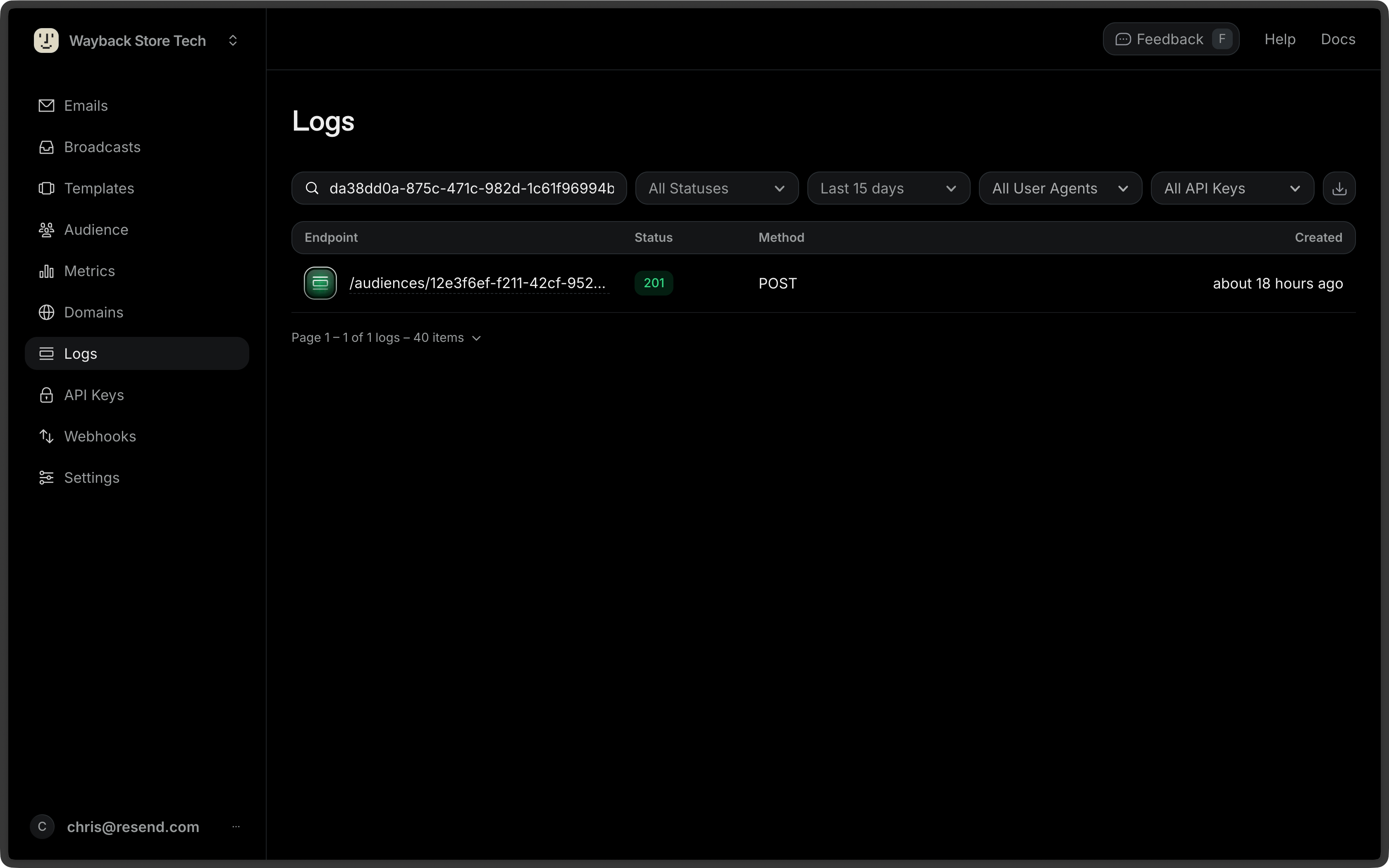
Search by Log ID
You can now search for specific logs by their ID. This makes it easy to jump directly to a log entry when debugging an issue.
Filter by Status
We've added multi-select status filters to help you narrow down logs to exactly what you need. Filter by:
- All - View all logs
- Errors - View only failed requests
- Success - View only successful requests
- Specific codes - Filter by specific HTTP status codes like 403 or 429
These filters are also supported in exports, so you can download filtered log data as CSV.
Improved Code Blocks
Request and response bodies now display with proper syntax highlighting, making it easier to read JSON payloads. We've also added one-click copy functionality so you can quickly grab request or response data for debugging.
Actionable 403 Error Guidance
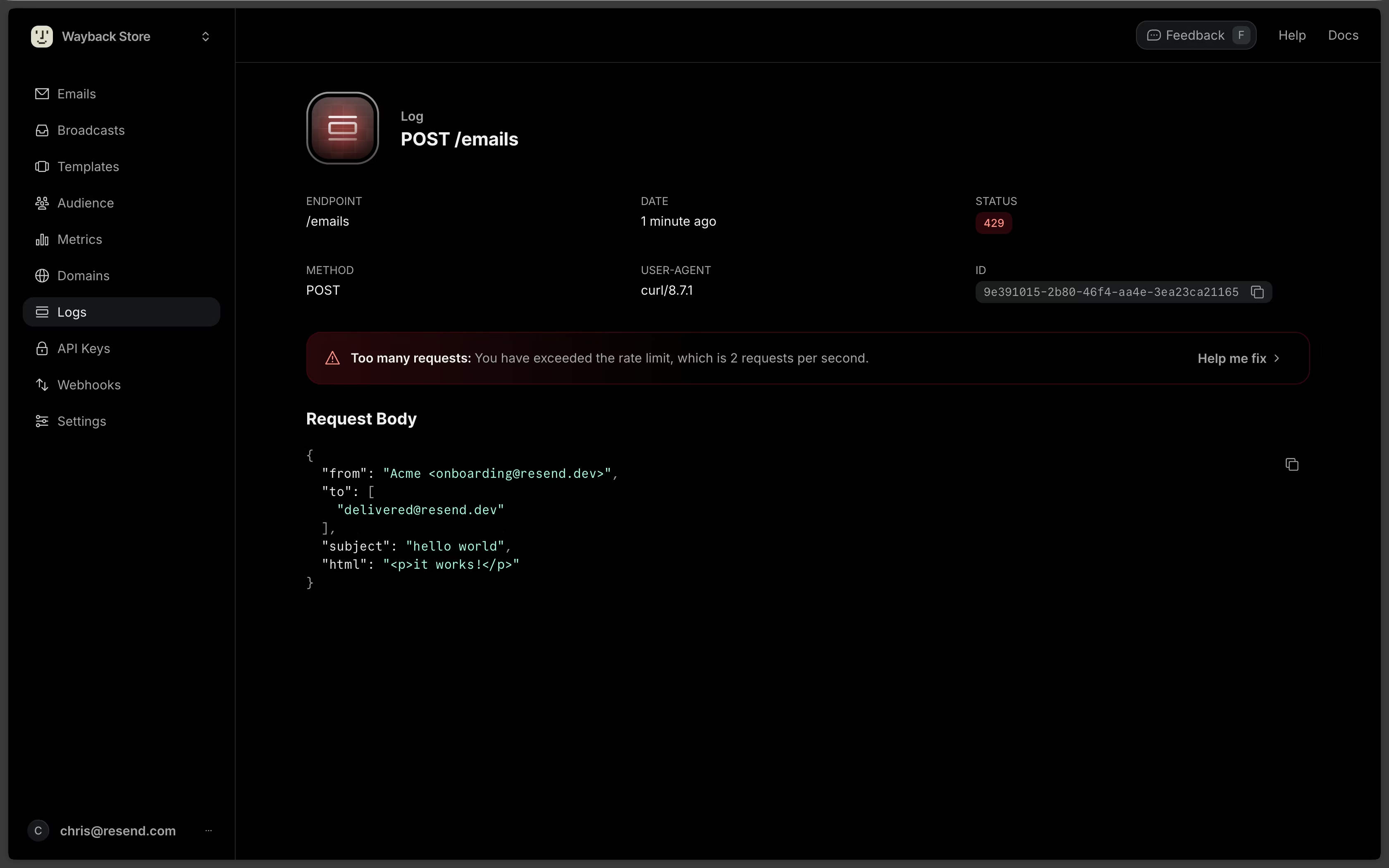
When a request fails with a 403 error, understanding the root cause can be challenging. We've added contextual error summaries that explain why the request failed and how to fix it.
Domain Highlighting
For 403 errors related to domain verification, we highlight the domain from the "from" field in your request body. This immediately shows which domain needs attention.
Troubleshooting Drawer
Click "Help me fix" to open a drawer with:
- Raw response - The complete error response from the API
- Tailored guidance - Specific steps to resolve the issue based on the error type
- Quick links - Direct access to verify your domain or view your verified domains
For requests using the resend.dev testing domain, we explain its limitations and guide you to set up your own verified domain for production use.
Conclusion
These improvements help you find and fix issues faster. Whether you're searching for a specific log, filtering by status, or troubleshooting an error, the Logs page now provides the context you need to resolve issues quickly.